
If you are a content creator, freelancer, or just a everyday Windows user, you want your operating system to run fast. Whether you’re running on older hardware or a high-end machine, background bloatware, unnecessary animations, and misconfigured settings can drastically slow you down. In fact, most Microsoft Windows 11 users don’t realize how slow their… Continue reading How-to Make Windows 11 Fast > The Ultimate Performance Guide
Tag: Windows 11 Pro
How-to Permanently Get Rid Of Copilot AI in Windows 11 Pro

Microsoft’s Copilot is now a core part of the Windows 11 (all versions including Pro) although a simple toggle can hide it from the taskbar, taking a few extra steps can remove it more thoroughly from your Windows operating system so that the AI function does not return each time you login. This guide shows… Continue reading How-to Permanently Get Rid Of Copilot AI in Windows 11 Pro
How-to Fix Windows 11 2026-04 Security Update KB5083769 Not Installing Issue
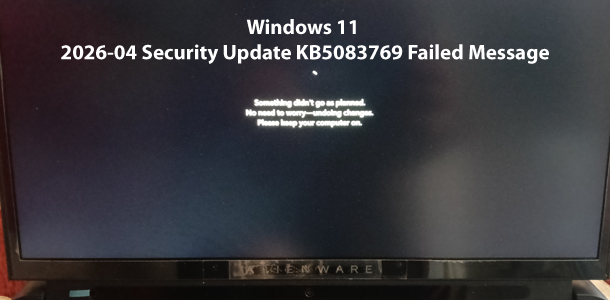
CRITICAL WARNING: The following steps, specifically the Clean Install process, will PERMANENTLY DELETE all data on your primary hard drive. You must BACKUP ALL IMPORTANT DATA (photos, web projects, PHP files, Adobe assets) to an external drive or cloud storage before proceeding. RankYa is not responsible for data loss. If you are repeatedly seeing the… Continue reading How-to Fix Windows 11 2026-04 Security Update KB5083769 Not Installing Issue
Completely Disable and Turnoff Microsoft Copilot AI Windows 11
Tried other how-to tutorials to no avail for disabling Copilot AI from your Windows 11 Operating System? Video Tutorial: How-to Completely Disable & Get Rid of Microsoft Copilot AI Microsoft’s Copilot is now a core part of the Windows 11 experience, but not everyone finds this AI assistant useful. If you want to completely disable… Continue reading Completely Disable and Turnoff Microsoft Copilot AI Windows 11