When a local business website is not usable by AI agents (ChatGPT, Gemini, Google AI Mode), it makes interactable website elements invisible in 2027. These 3 basic WebMCP tools I created can make your local business bookable directly inside AI answers. What is WebMCP and Why Does Your Local Business Need It? In 2027, customers… Continue reading 3 WebMCP Tools Every Local Business Website Needs in 2027
Main Blog Section
This is the main blog section of RankYa website, here you will find all published posts. When you are looking for blog posts by category, simply visit our sitemap section. Or, simply press on any link to continue reading
How-to Add WebMCP to Your Website
What is WebMCP? Model Context Protocol (WebMCP). The WebMCP API enables web applications to provide JavaScript-based tools to AI agents. Proposed WebMCP will replace DOM Scraping, meaning instead of an AI agent parsing HTML, reading accessibility trees, or taking screenshots to guess what buttons or forms do, the website with WebMCP will explicitly declare what… Continue reading How-to Add WebMCP to Your Website
Full Guide to Google My Activity

Google My Activity is a centralized dashboard where users can view, manage, control, or delete their activity, YouTube watch history, and location data collected across Google services. My Activity section provides direct control over data privacy settings, allowing Google account holders to customize what information is saved to their Google Account and adjust personalization features.… Continue reading Full Guide to Google My Activity
How to Rank in Google AI Mode & Search in 2027
What is Google AI Mode Optimization? Google AI Mode Optimization is the latest strategic website optimization practices for structuring website content and machine-readable data architectures to satisfy generative search engines, conversational AI overviews, and agentic discovery bots by prioritizing direct answers, E-E-A-T entity signals, building entity relationships, and core web performance. In short: To rank… Continue reading How to Rank in Google AI Mode & Search in 2027
How to Fix Contact Form 7 Update Error Due to PHP Version
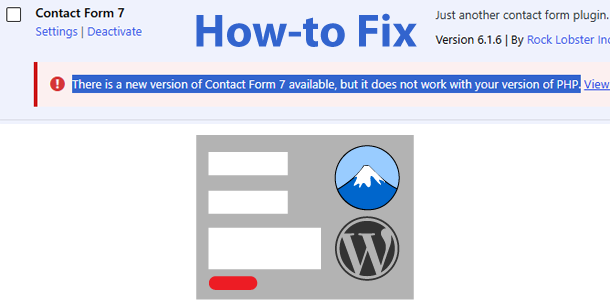
In short:The “There is a new version of Contact Form 7 available, but it does not work with your version of PHP” error occurs because the plugin requires a minimum of PHP 8.3. To fix it, log into your hosting control panel (cPanel), navigate to MultiPHP Manager, upgrade your website’s PHP version to 8.3 or… Continue reading How to Fix Contact Form 7 Update Error Due to PHP Version
How-to Remove Your Name and Information from Google Gemini and AI Mode
As artificial intelligence becomes a routine part of our daily digital experience, managing your digital footprint is more critical than ever. If your (or your child’s) name or information, shows up in Gemini or Google AI Mode results, and you want it removed Google policies can seem confusing because Google guidelines and policies differ according… Continue reading How-to Remove Your Name and Information from Google Gemini and AI Mode
3 Ways to Remove Your Name from Google
Quick Answer: You can remove your name and personal information from Google search results using three primary methods: Requesting direct removal of personal data (like phone numbers, home addresses, or explicit images) via Google’s removal tools. Contacting website owners directly to have the source content deleted or de-indexed. Utilizing privacy tools and legal removal (for… Continue reading 3 Ways to Remove Your Name from Google
How to Stop Gemini Accidentally Popping Up and Auto-Recording
Using Samsung Galaxy Phone? You’ll have different settings compared to the video insights. Try navigating to Settings and checking the “Side button” options to manage how your digital assistant launches. And also you can check System Navigation (and in some phones *Gestures*) To disable it on samsung phones, 1st try to find the above options,… Continue reading How to Stop Gemini Accidentally Popping Up and Auto-Recording