Not using Block Editor on your WordPress site? Since WordPress 6.9 loading of inline CSS has changed (now WP registers individual block styles, or combines block styles).
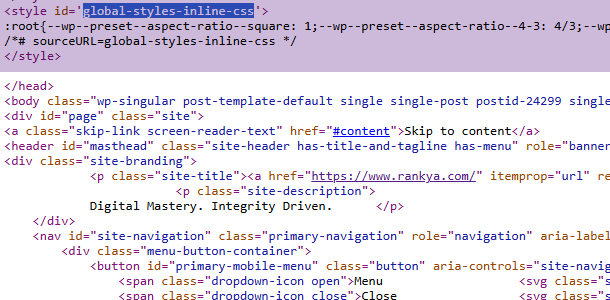
As a result, WordPress dynamically injects this HUGE chunk of CSS in to the HTML HEAD like this:
<style id='global-styles-inline-css'>:root{--wp--preset--aspect-ratio--square: 1;...
To remove it, simply add this to your Themes > functions.php
//removes global-styles-inline-css

wp_dequeue_style('global-styles');
For some WP themes, if you are NOT using block editor, and you removed “global-styles-inline-css” and yet you are seeing another inline code wp-block-library-inline-css, you may actually want to remove wp-block-library as well. This next code does just that.
wp_dequeue_style('wp-block-library');
Although the CSS code blockk for global-styles-inline-css itself is only about 9.98KB what is bad is the render blocking aspect of that entire code block. What that means is that the browser must stop its render process (which is bad for Core Web Vitals) to calculate the CSS before it moves on to the next line of code. Therefore, if your WordPress site (or your clients) do not use any Block Editor to display content, then, why load global-styles-inline-css? Just remove it.