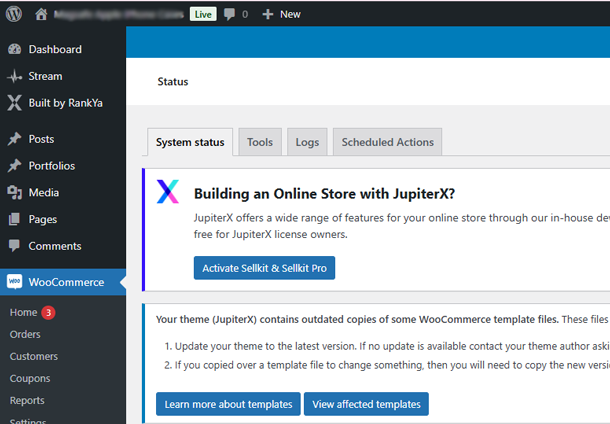
Using the latest version of Jupiter X theme by Artbees? Also, updated to the latest WooCommerce plugin? But you are still seeing an error message in your WordPress Dashboard like so:
Your theme (JupiterX) contains outdated copies of some WooCommerce template files. These files may need updating to ensure they are compatible with the current version of WooCommerce. Suggestions to fix this:
Do You Need to Fix It?
Unless you or your web developer modified WooCommerce template files within JupiterX Theme folder, you need not fix it. You can simply dismiss this error message because it will be fixed automatically with the next update of Jupiter X WordPress Theme.
However, if your WordPress installation has custom coding inside JupiterX Theme folder WooCommerce Template Files, then, you must update the outdated files to get rid of this error.
Video Tutorial Details What JupiterX Outdated Copies of WooCommerce Template Files Issue Is & How-to Fix It
How-to Fix It?
If you want to fix it, all you have to do is first identify which Jupiter X template files are outdated
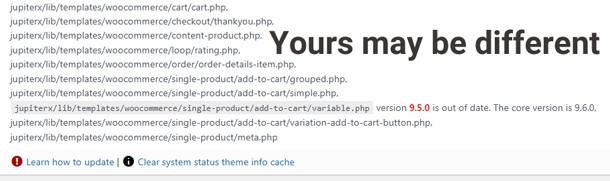
Then, download the latest version of WooCommerce plugin and find the latest file version within WooCommerce Plugin.
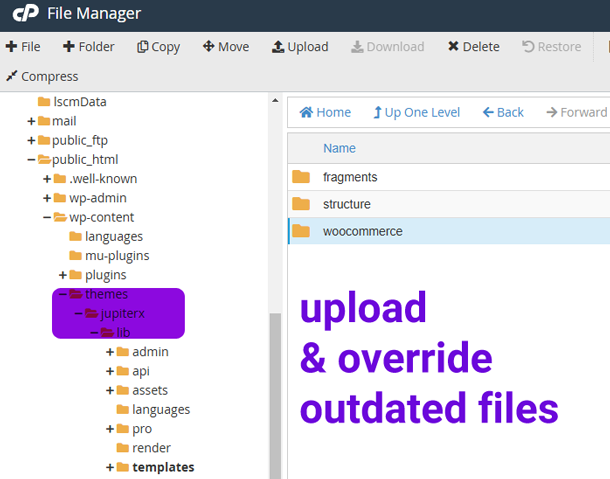
Upload and override web server JupiterX Template Files.
Login to WordPress and refresh the Dashboard. You will now see that this warning message will be gone 🙂