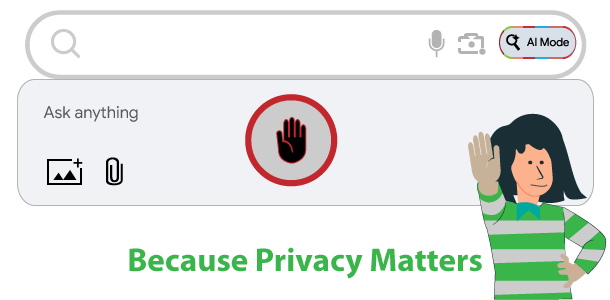
As artificial intelligence becomes a routine part of our daily digital experience, managing your digital footprint is more critical than ever. If your (or your child’s) name or information, shows up in Gemini or Google AI Mode results, and you want it removed Google policies can seem confusing because Google guidelines and policies differ according to your country of citizenship, or the reasons you want your name or info removed.
Here you will find easy to understand guidance for content removal from Google so that your request is successful.
Video Tutorial: How-to Remove Your Name from Google Gemini
Video Tutorial: How-to Remove Your Name and Info from Google AI Mode
Submit Direct Removal Requests for Sensitive Information
If you discover highly confidential information like banking details, government identification numbers, or medical records appearing in Gemini or Google search results (including AI Mode), you can file a direct removal request. By submitting the exact URLs (website address) hosting your private data to Google Search support, you can have those specific pages de-indexed, preventing Gemini or the AI Mode from ever referencing them.
- Types of content you can ask to be removed
- Content policies for Google Search (including Gemini and AI Mode)
- Begin Reporting Content to be removed from Google Here (PRESS ON “Google Search” to reveal AI Mode option.).
- EU Citizen? Use Right to be forgotten Removal request form
Understanding Data Collection in Google Gemini and AI Mode
Google’s artificial intelligence tools collect user interactions to improve responses and personalize your experience. When you ask a question or share details, that information can be stored in your Google account history. Additionally, the AI Mode in Google Search scans the web to generate comprehensive answers, which means publicly available information about you might be included in those AI Overviews and AI Mode results. To better maintain your privacy, you need to manage both your direct chat history and the public search results tied to your name or personal information.
Step-by-Step Instructions to Delete Personal Data from Gemini
If you want to stop the system from remembering your prompts and delete personal data from Gemini, you must adjust your Google account activity controls. Doing this ensures your future conversations stay private.
Turn Off Activity Tracking & Clear Gemini Activity History
To prevent the AI from saving your ongoing interactions, follow these instructions:
- Sign into the Google account associated with your Gemini usage.
- Navigate to the Gemini Activity dashboard.
- Locate the activity toggle and switch Keep activity to the OFF position. While there you can delete past activity history by pressing on DELETE button.
Disabling future tracking does not automatically erase your past conversations. To completely clear activity in Gemini apps, you must delete your historical data manually.
How to Opt Out of Google AI Overviews and Search AI Mode
While you can easily clear your chat logs, managing what the search engine knows about you requires a different approach. If your name, contact details or sensitive records are hosted on third-party websites, they can be aggregated into search summaries. You need to opt out of Google AI overviews by removing the source data from the search index. Watch this video for 3 Ways for Removing Your Name from Google
Use the Results About You Dashboard
Google provides a dedicated system to help users track down and eliminate their contact details from the web.
- Visit the official Results About You tool here.
- Enter the exact personal details you want the system to monitor, such as your name or nickname. Press next to enter your phone number, email address, and home address to let Google to monitor.
- Review the flagged search results that contain your data and click to submit a removal request for each one.
When you set up monitoring through “Results about you,” Google understands that you trust them with your sensitive information. They take that responsibility very seriously. To prevent misuse, they store your personal info in accordance with Google’s high standards for sensitive personally identifiable information, which includes advanced encryption and access controls.
Google checks if your name and personal info matches any results on Google Search regularly. If you have notifications on, they will notify you if anything comes up. Google does not share your info or use it to personalize your experience across other Google products. It’s used and stored for:
- Monitoring
- To process removal requests
- To improve the monitoring and removal process
- To let you find the status of your removal requests over time.
If you want to stop monitoring, and remove your info from “Results about you,” from “Settings,” select Remove all personal info.
Take Charge of Your Digital Privacy
Just as you wouldn’t want your neighbor to peek through your window without your permission, your online privacy should be treated thoughtfully.
Protecting your online identity is an ongoing process, you can take these quick steps put you back in control. Take few minutes right now to audit your activity settings, clear out old conversations, and set up monitoring for your name and or contact details. Stay proactive, and keep your personal data exactly where it belongs, with you.